Introducing Epic Mode
AI agents are getting unbelievably good at producing code.
But the one thing they consistently struggle with is understanding and preserving intent: the “why,” the constraints, the edge cases, and the invisible rules your team already knows. The stuff you’d tell a teammate in passing:
“Don’t touch that path.”
“This needs to be backwards compatible.”
“We can ship a v1 without X.”
When you build with agents, that intent often lives in chat context, scattered messages, or a half-formed plan in your head. And that’s how drift happens: the agent isn’t trying to be wrong, it’s trying to fill in the gaps.
Today, we’re launching Epic Mode to solve this.
Epic Mode is a structured, lightweight system for capturing intent as living specs, turning those specs into executable tickets, and handing off for execution with a consistent worldview across agents and verification built into every stage so you can ship faster on real codebases with fewer surprises.
Think in checkpoints: mini-specs beat giant specs
One of the biggest lessons we’ve learned building for real codebases: giant specs fail for the same reason giant prompts fail. They collapse too many decisions into one blob, and the moment reality changes, everything becomes outdated or unclear.
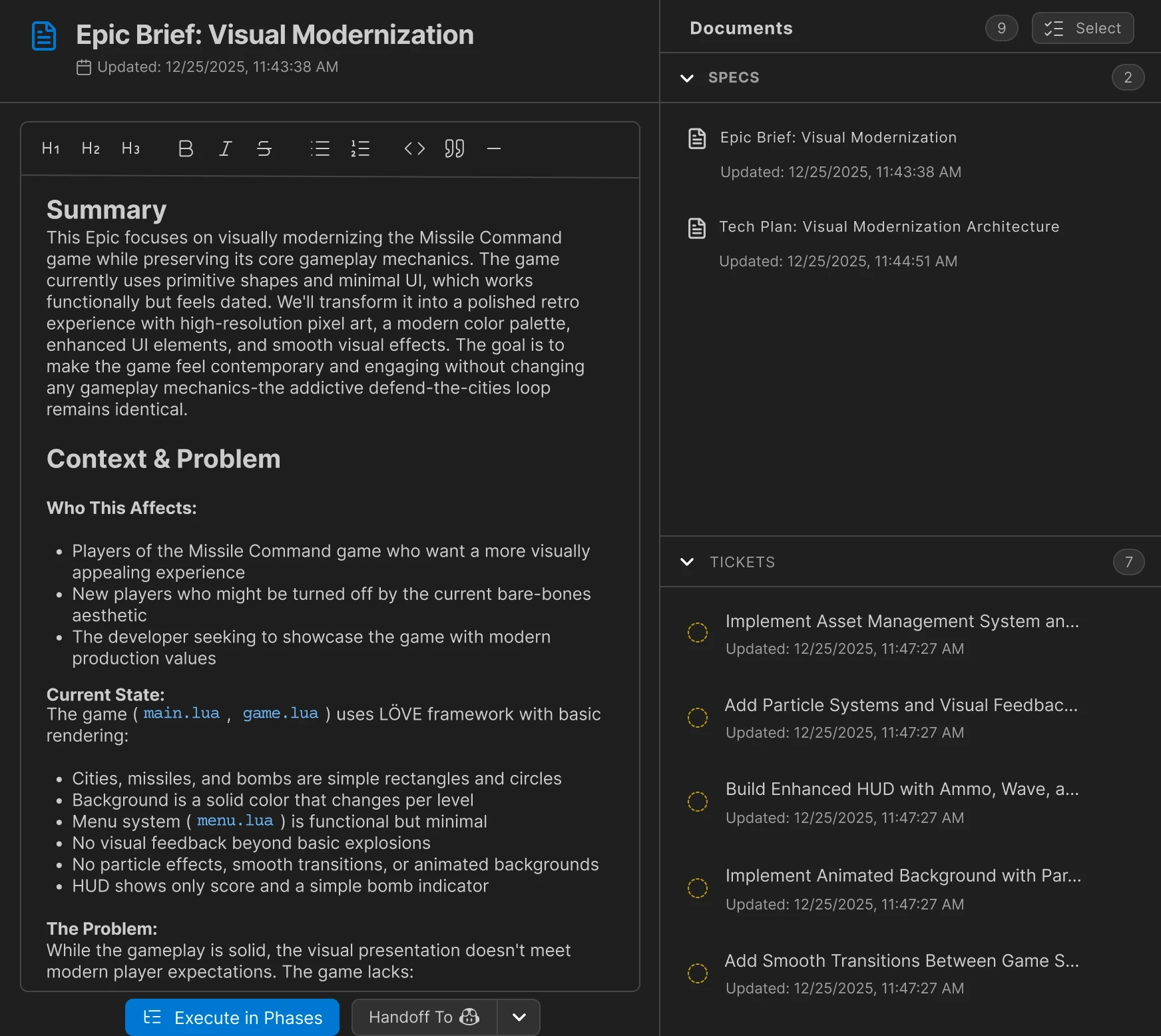
Therefore, Epic Mode’s default workflow favors mini-specs instead of giant specs. An Epic is essentially a system of specs: a PRD, a tech plan, a set of edge-case clarifications, maybe a wireframe, each scoped tightly enough to be stable and reviewable. You get the benefits of a spec-driven approach without the maintenance of a wall of text. And when something changes, you update the relevant mini-spec instead of rewriting the world.
Command-driven workflows: structure without rigidity
Epic Mode is command-driven and workflow-guided. You can move fast, skip around, go back, branch, or override at any time. But you also don’t have to remember the “right process” in your head, because the AI can suggest the next commands based on the current workflow step.
This is powered by Workflows: a system of prompts and rules that define how an Epic can progress. Workflows are intentionally expressive; you can model linear steps (PRD → tech spec → tickets), or forks in the road (brainstorming styles, wireframe formats, different planning depth), and even progressively load workflow context so the agent isn’t overwhelmed.
We ship an opinionated default—Traycer Agile Workflow—because most teams want a proven path from core flows to technical plans to ticket breakdowns. But we also know every team has its own taste. Epics Mode is designed so you can take inspiration from ours and build your own workflows over time.

Elicitation > Asking
Epic Mode turns spec-writing into a two-sided dialogue. The AI does not just generate text. It actively elicits what you mean by asking timely, pointed questions that surface constraints, edge cases, and the “invisible rules” behind your ask. That interaction forces ambiguity to collapse into explicit decisions, so intent is captured clearly instead of being left for the model to guess.
After getting a first draft, you are presented with options to brainstorm (part of the default workflow). This lets you challenge assumptions, explore alternatives, and expand the solution space before you commit. The result is a tighter loop where you avoid groupthink, pressure-test the plan from multiple angles, and iteratively converge on a spec that is both aligned with intent and stronger than the first plausible draft.
Tickets: turning intent into executable work
Once intent is captured, it needs to become work.
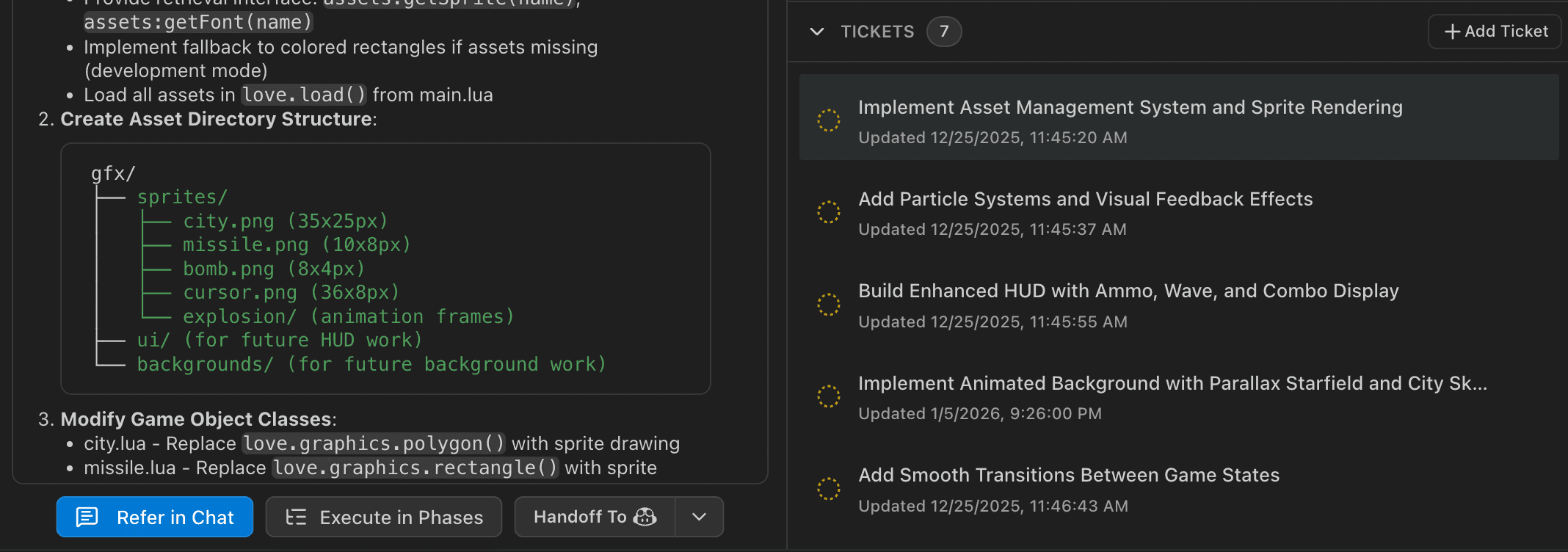
In Epic Mode, you divide work directly on the Epic board into tickets: clear, scoped units that can map to repos and paths and be executed predictably. This is where spec-driven development becomes operational. A good ticket is small enough to implement without guessing, yet meaningful enough to hand off to an agent or a teammate (team collaboration is coming soon).
This decomposition also helps you avoid the classic failure mode of agentic coding: trying to do everything at once, then spending days untangling what went wrong.
Handoff to implementation: execute anywhere
Traycer is intentionally agent-agnostic. We want you to plan here, execute anywhere—Cursor, Claude Code, Windsurf, or custom CLI agents.
While implementing, you can execute the entire Epic or a subset of Tickets at a time. Epic Mode supports different execution styles depending on the task:
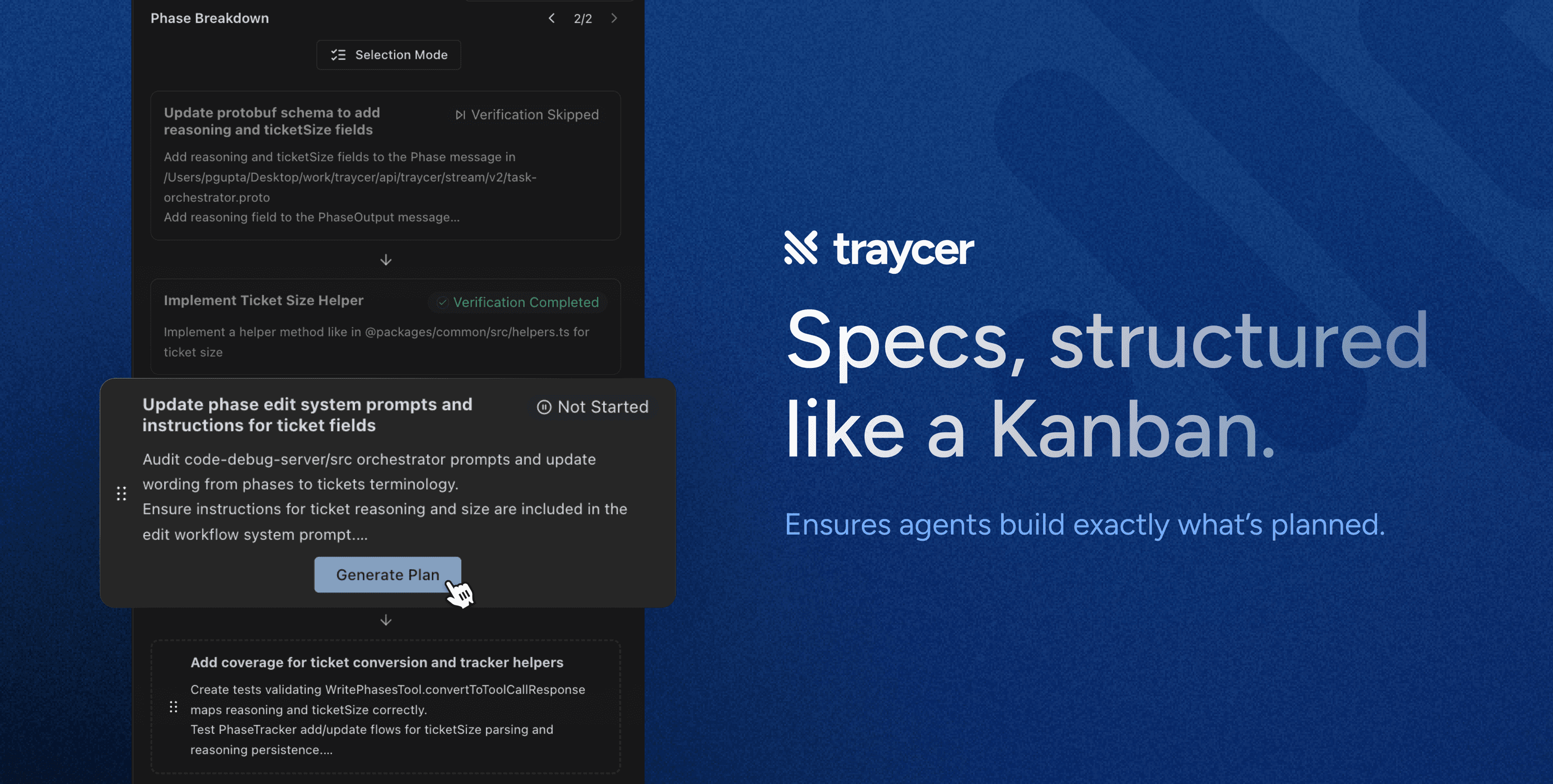
Execute in Phases: When you want controlled checkpoints and validation between Phases.
Handoff to Agent: When you feel the changes can be handled directly by an agent without further checkpointing in phases.
You can do this piecemeal, given that execution is always grounded in the same system of specs and tickets, so context doesn’t evaporate the moment you switch tools.
Verification: the missing half of most AI workflows
Specs prevent drift up front. But you still need guardrails during and after execution.
That’s why review and verification are built into Traycer’s loop—across Phases, Plans, and dedicated Reviews. Verification doesn’t just nitpick code style. It helps catch the deeper failures: requirements that were missed, changes that violate constraints, regressions that creep in when an agent “helpfully” refactors something unrelated.
Even better: verification flows are integrated into the default Epic workflow itself so you’re not relying on a final gut-check at the end. You’re continuously validating that the implementation still matches the intent you captured.
Conclusion
Epic Mode is our answer to the biggest challenge in AI-assisted engineering: keeping human intent intact from the first idea to production-ready code. By turning work into a system of mini-specs, guided clarification, workflow-driven commands, ticket decomposition, flexible execution modes, and built-in verification, we’re making spec-driven development feel like the natural way to build with agents, not a chore. The goal is simple: ship faster on real codebases, with less drift, fewer surprises, and a lot more confidence.